
Search result research
SERPChecker Review: How to Analyse Search Competition
SERPChecker helps you look beyond a keyword difficulty number and examine the pages already appearing in Google. Used carefully, that context can help you choose realistic topics and create something genuinely more useful.
What is SERPChecker?
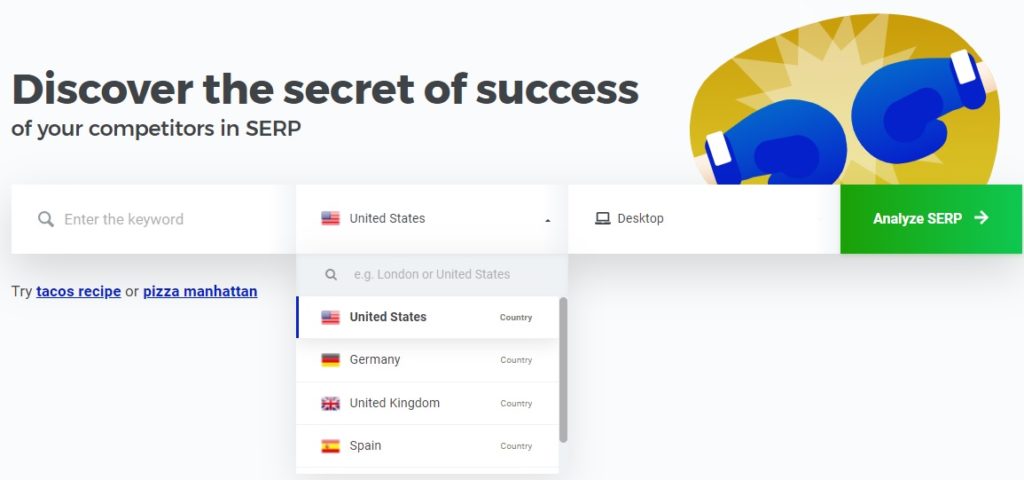
SERPChecker is the search result analysis tool in the Mangools suite. You enter a keyword and location, then review the pages appearing in the search results along with features and comparative SEO metrics.
Its purpose is not simply to label a keyword easy or difficult. The useful part is seeing what Google currently considers relevant for that search and what kind of page you may need to create.
Start with search intent
Before comparing scores, look at the results themselves. Are they guides, product pages, videos, local businesses, directories or major brands? If the result type does not match the page you plan to create, a promising difficulty score may not help.
What is the searcher trying to achieve, and could your page satisfy that need more clearly or usefully?
What SERPChecker can help you compare
Result types and features
See whether maps, videos, shopping results, snippets or other features may affect organic clicks.
Page-level competition
Compare the individual URLs ranking, not only the overall strength of their domains.
Location differences
Review results for the market your audience is actually in, particularly for local or regional topics.
Patterns and gaps
Identify repeated angles, weak explanations, outdated pages or audience needs the current results do not address well.
How we used the comparison view
One of the practical benefits for us was being able to place a page we were considering beside the pages already ranking. We could compare backlink patterns, authority-style metrics and the types of results Google was showing without jumping between several different reports.
We also used the location settings when researching local or international markets. A search result in one city or country can look quite different from the same phrase somewhere else, so the ability to narrow the market gave the numbers more useful context.
I still like to open the real results and review the leading pages myself. SERPChecker can organise the evidence, but it cannot decide whether the searcher wants a guide, a product, a local service or something else entirely.
Do not overread the metrics
SERPChecker presents third-party indicators relating to links and authority. These are useful for comparing pages, but they are not Google scores. They also cannot measure every factor affecting a result, including the quality and relevance of your future page.
Google’s own guidance recommends creating helpful, reliable, people-first content. Use competitive data to understand the landscape, not to reproduce the same article with slightly different wording.
A practical workflow
- Use a keyword research tool to identify a relevant topic.
- Open SERPChecker for the correct location and device.
- Inspect the dominant result type and likely intent.
- Read several ranking pages manually.
- Decide whether you have a useful contribution, experience or resource to add.
- Publish, then monitor the page using Search Console and a rank tracker.
Our verdict
SERPChecker is valuable when it slows you down long enough to examine the real competition. Its interface makes detailed SERP analysis approachable for beginners and smaller teams.
Mangools currently describes it as providing localised results, SERP features and dozens of comparative metrics. Check the current plan allowances before subscribing.
You can explore SERPChecker here. Digital Education Experts may receive a commission if you later purchase a Mangools plan.
Your next step
Research the result, not only the keyword
Useful SEO begins with understanding what people need and what the current results already provide.
Leave a Reply